Just joined Mastodon as a back-up in case Twitter implodes
Category: Technology
My favorite Mac utilities


Its been a while since I’ve written on here, and I’ve had a few friends lately ask about utilities I run on my Mac, so I thought I’d share some of my favorites. These aren’t all of them, but these are my favorites.
Bartender 3, $15
Bartender 3 is what make this list work. Bartender hides all of the utilities I run in the background, so that I don’t have to see them. ⌥+Space later, and all of the utilities running in the background are revealed.
Greenshot, $2
Greenshot is a great and easy utility for screenshots, and there is a Mac and Windows version, which is great is you a Mac at home and Windows at work, like me. I’ve got mine set up to bring up the screenshot crosshairs with F1, then send to screenshot to my clipboard. I even used it to take the screenshots used above!
Tripmode, $8
Tripmode is a utility to modulate data use when tethered to a smartphone. The Mac makes it very easy to connect to a smartphone for data when traveling, but none of the apps on your computer (like Dropbox, iCloud, Google Drive, etc.) know that you’re on a network with a data cap. Tripmode solves this by allowing the user to determine which apps can use data, and these settings can be network-specific.
BetterSnapTool, $3
BetterSnapTool emulates the Windows 7 feature of snapping windows to one side of a screen. Although the Mac now has a native split screen mode, this wasn’t always the case, and BetterSnapTool brought this useful functionality to the Mac with lots of customization. I use it to simply split my screen for a moment, but if I’ll be using a split screen for a while, I’ll typically use the native Mac feature.
Amphetamine, Free
Ever need your laptop to finish something and not go to sleep. Well, Amphetamine will keep you awake.
Turbo Boost Switcher Pro, $10
I got this one from a great episode for ATP. Basically, if I’m using my laptop in “laptop” mode, I want great battery life and I’m unlikely to be doing anything computationally expensive. If I’m sitting at my desk and plugged in, I want my laptop to be as fast as possible. Turbo Boost Switcher Pro does this by enabling and disabling Turbo Boost, which pushes your CPU past its base clock speed at the expense of battery life, based on whether your computer is plugged in or not. Better battery life when using the battery, better functionality when on power. Marco Arment has a good post on this too.
Parallels, $80
Okay, Parallels isn’t really a utility, but I think its at least worth mentioning. Parallels is a Virtual Machine software, which means you can other operating systems within Parallels on your Mac. This is another indispensable app that I need from time to time, when I need to run a Windows specific application. Parallels gets an upgrade every year, and I’ve sort of put myself on an every-other year upgrade cycle. Those seem to have big benefits in how resource intensive Parallels can be.
CleanMyMac X, $40
CleanMyMac X will, hold on for this one, clean up your Mac. Dump your RAM, clean out Caches, empty your trash, etc., all in one fell swoop.
Screens Connect, Free (iOS counterpart is $20)
Screens is a great iOS app that I use to connect back to my Mac. Screens Connect is the Mac end that lets my access my Mac from my iPhone or iPad when I’m out and about.
1Password, $5/month for five accounts
I love 1Password. 1Password is a password storage app, which keeps track of all your passwords and will generate random passwords for all your accounts, on all of your devices. Theres a version of 1Password for every operating system. They even have a feature to inform you if a website where. you have an account is hacked! This is another one that is absolutely indispensable for me.
Backblaze, $50/machine/year
Back-ups are a part of any healthy digital life. Backblaze will back up as much as you can give it for $50 a year. This is mostly for a worst case scenario. If my laptop and my local backup were to fail, all my data is also stored at Backblaze.
Time Machine, Free
This is the only 1st party utility on this list, and it’s for a good reason. Time Machine is great, simple, and reliable back up solution for the Mac. At a minimum, you can plug in a hard drive and it’ll back up everything new. At its best, you can point it to a NAS and back up wirelessly every hour.
FruitJuice, $10
FruitJuice is just a handy utility to track battery health. It’ll send little push notifications asking you to unplug your laptop from time to time, and with updates for how much battery life you have. In addition, it tracks how many cycles your battery has, and its overall health.
Yes, your phone is slower, chemistry is to blame, and lets kill the camera bump.
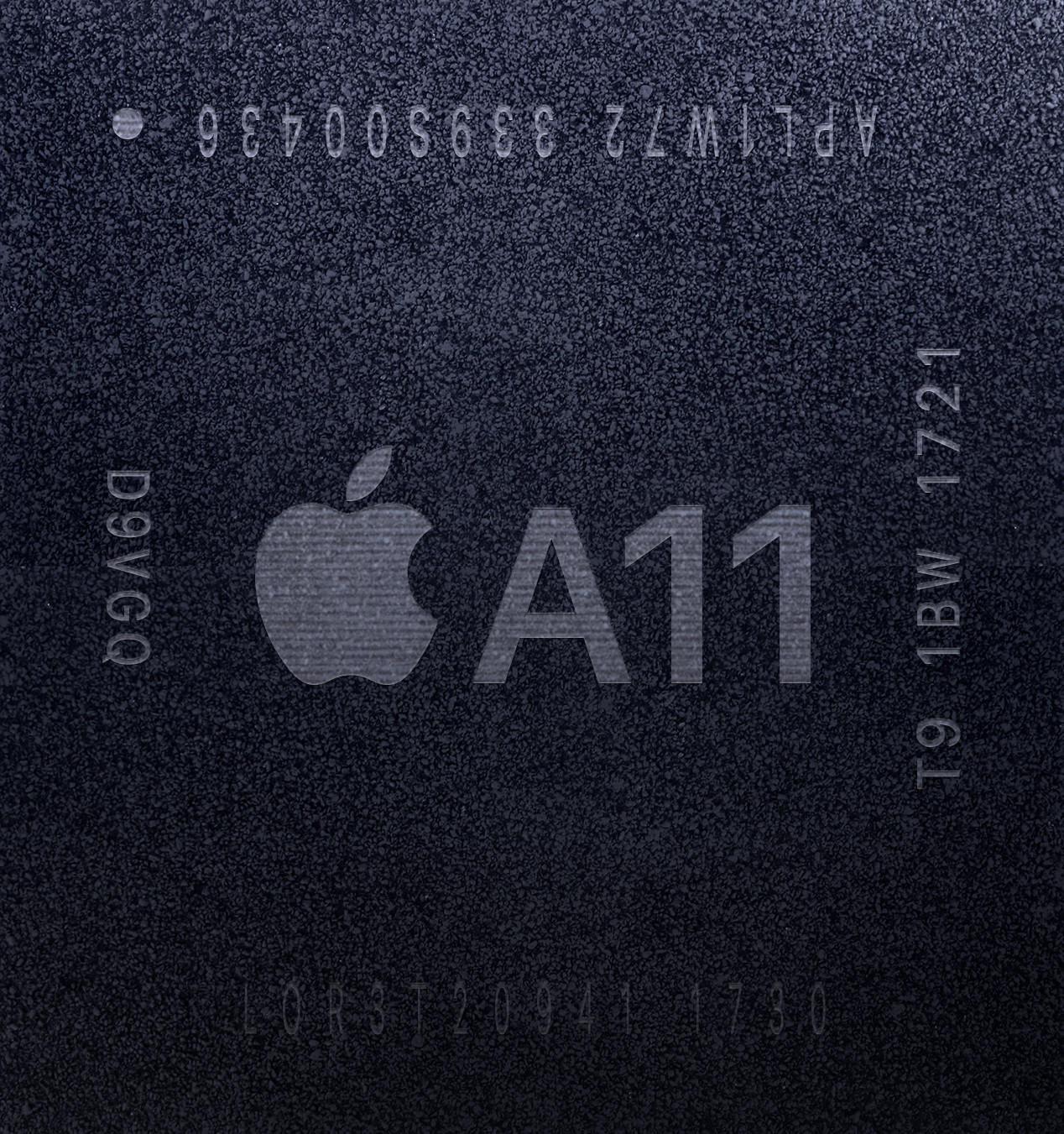
The rumor that Apple throttles old iPhones was somewhat confirmed following some clever Redditers measuring iPhone 6s Geekbench scores. Many tech sites have picked up this story this week, like TechCrunch, The Verge, Daring Fireball, and Vector, so I won’t get too caught up on summarizing this story. Apple, for its part, says this started with iOS 10 and iPhone 6, iPhone 6s and iPhone SEs, to avoid random shut downs and safety concerns a la the Samsung’s Galaxy Note 7 Fiasco. No company wants this kind of advertising on a government website:

Clearly, Apple could have handled this better. Users should have input in how their device operates, even if it is just being notified their device is being throttled for safety concerns.
This story ultimately brings me to the following: What can Apple and other device makers do to meet device lifetime expectations? Device makers are not done innovating with phones – every year they perform some new task that requires more power. This problem will not go away any time soon, and is not exclusive to Apple. The solution needs to be broad enough to encompass all lithium-ion powered devices, i.e. phones, tablets, wearables, et cetera.
Hardware and software innovation need be pushed to mitigate lithium-ion battery degradation. This needs to be the priority – no one should count on a breakthrough in battery technology. Let’s be clear about this – it is a good thing that Apple is working on increasing the usability of their devices over many years, and coming up with creative ways to work around current limitations of lithium-ion battery lifetimes. They should just be more transparent about it.
Clever hardware advancements can be used to be lighter on batteries – including low-power antennas, like Bluetooth 4.2, and low-power processors. I’d wager that the inclusion of low-power cores in the A10 and A11 on the iPhone 7 and 8/X families, respectively, was forward-thinking on Apple’s part to prolong the lifetime of these devices relative to the iPhone 6 family. It’s worth noting that Motorola did something similar ~4 years back with the Moto X, too. Designing dual low-power and high-power components that a device can intelligently switch between for specific usages is a good idea. Being a company that designs software, hardware, and the silicon is a huge advantage when trying to tackle this sort of problem.
Replacing built-in batteries in phones needs to be easier, cheaper, and less painful. Sending a phone somewhere for battery replacement and being phoneless for any amount of time is not acceptable for most people, and battery cases are inelegant. With this respect, Apple has an obvious advantage with their network of retail stores – other manufacturers need to innovate a great solution. Similarly, devices need to be transparent with users and communicate to them that there is a problem and replacing the battery is a good solution, e.g. “I’m slow and bad now because my battery is bad – please replace it.” The last sentence in Apples statement regarding adding the throttling feature is particularly worrying:
We’ve now extended [this] feature to iPhone 7 with iOS 11.2, and plan to add.
They need to be clear about what/when devices are added to this list, in addition to individual devices notifying users there is a problem. For instance, is this sort of throttling feature going to happen to Apple Watches or Airpods? iPad? Many users may prefer replacing a dead battery for $50-$100 over replacing the device entirely.
Lastly, and hear me out here, device makers could just make devices larger for larger batteries, especially with phones. This would negatively impact the weight of phones, but I’ve never heard anyone complain about the weight of their phone. Since the industry decided to remove replaceable batteries and toward built-in batteries, phone makers have done a terrible job ensuring phone batteries are large enough for the average 2 year replacement cycle. Part of the argument for building the battery into the phone was that removing the hinges and latches to secure the battery can be used to expand the battery. Over time though, it feels like that gain has been lost by phones becoming increasingly thin, and taxing those smaller batteries more with increasing pixels and computational needs.
Building larger phones is a tough sell, but I know just where to put the larger battery: get rid of the camera bump by making phones thicker and filling it with a battery. Hell, Apple has nearly already admitted this is a reasonable option by selling battery cases for their iPhone 6 family of phones – just make the phone thicker and be done with it. Case in point: iPhone X Its thin, light, beautiful, covered with pixels, but has an obnoxiously large camera bump. The obvious need for increased battery capacity seems like a good reason to kill the bump by making the body of the phone flush with that bump instead of pushing for thinner phones by measuring at the thinnest part of the phone.
or fuck it, let just have replaceable batteries with hinges and latches again.
—————————————————-
The post above this line was written on 12/23/17, I was delayed posting it due to the holiday. On 12/28/17, Apple announced that for 2018 they would reduce the cost of replacing phone batteries from $79 to $29 and include additional info for users in future releases of iOS following backlash of this scandal. This is a good response. I don’t think they’ll actually get rid of the camera bump until the camera can be as thin as the remainder of the phone, but we can all dream, can’t we?
Thoughts on the MacBook Pro TouchBar
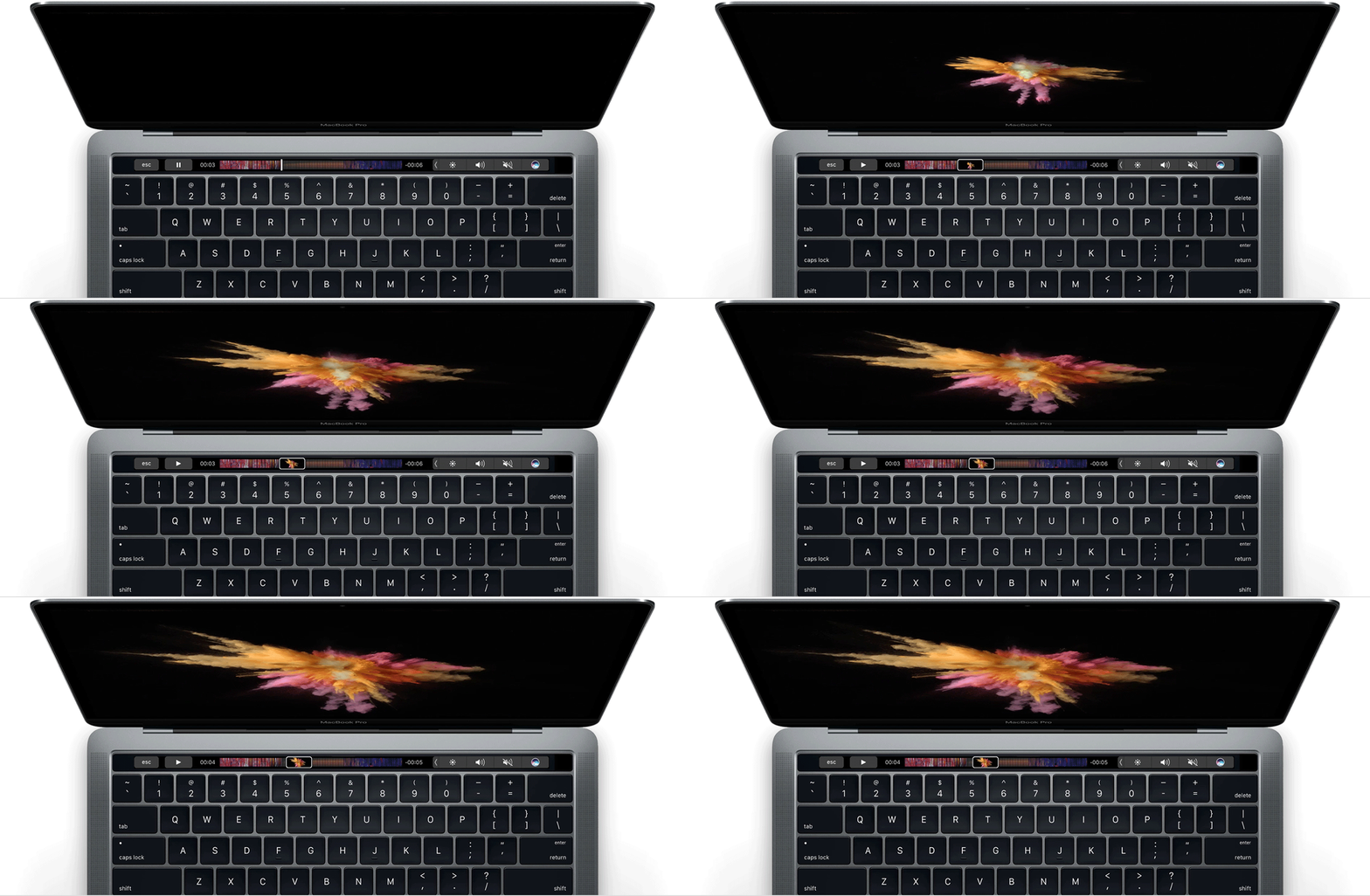
Now that the TouchBar MacBook Pro has been out for a year or so, it seems the consensus has been that power users aren’t wild about this model of MacBook Pro for several reasons: lack of ports, the luke-warm response to the Touch Bar, and the keyboard issues plaguing consumers.
Although, I don’t have an issue with the keyboard on the newest MacBook Pros, I do think the Touch Bar isn’t all Apple thought it was going to be. In truth, I bought the MacBook Pro with Touch Bar over the MacBook Escape due to the better processor – gaining the Touch Bar was just a fun addition. Although it is fun to use, it just isn’t a fast or easy thing to use because it just isn’t that useful. It doesn’t add anything to Mac that it absolutely couldn’t do before. This is why Mac power users just really haven’t embraced it. Alternatively, the Touch Bar really does increase the price on an already expensive computer, which means most casual Mac users will either get the MacBook or MacBook Escape.
I think its also worth stating that I think Apple made a good move not making a touch screen Mac. I never want, or need, to touch the screen on my work PC. I wish I didn’t have to touch my iPad when I’m using it with a keyboard. This image says it all:

Given the timid reception to the Touch Bar, I think its clear that Apple put this thing out because they felt they had to. They thought that since basically every PC now comes with a touch screen, and they knew they didn’t want a touch screen on the Mac, that they should “Think Different”. They shouldn’t have. They should have just made a great MacBook.
However, the Touch Bar did come one big upside – Touch ID. Touch ID on the Mac is great. However, it looks like Touch ID is being phased out on iPhones.
Leading up to the iPhone X announcement in September, rumors were swirling about whether or not Apple was doing away entirely with Touch ID, put it on the back of the phone, or somehow embed the technology under the screen of the phone. I, for one, thought there was no way they were getting rid of Touch ID. This was for three main reasons:
- Apple had built Apple Pay on Touch ID as its main way to authenticate payments. Banks and credit card companies are bought into this technology, and more and more companies are starting to support Apply Pay every month. Changing how that authenticates and getting everyone to agree to the change feels like a heavy lift.
- Services, like Apply Pay, have been increasing as a percentage of Apple’s revenue over the last several quarters.
- Apply just released the MacBook Pros with the Touch Bar. They had finally brought this technology to every major device category they sell – iPhones, iPads, and now the Mac. The line up was unified. I didn’t think they would mess with that.
Boy, was I wrong.
This has got me thinking about the future of Touch ID on all Apple devices. Now that the iPhone has migrated from Touch ID to Face ID, its not a huge jump to see the next iPad (or maybe the one after that) losing Touch ID and gaining Face ID. In fact, people are already making mock-ups
But what of the Mac? If the Touch Bar isn’t the big hit Apple thought it would be, and they’re migrating out Touch ID, is the Touch Bar going to be left behind when the Mac eventually moves to Face ID? After all, even Apple’s latest-and-greatest iMac Pro isn’t shipping with a Touch Bar. I think at a minimum, the Touch Bar will remain for however long apple uses this body type, but I wonder if the internal pressure to transition the Mac to Face ID combined with the keyboard problems plaguing consumers will push Apple to abandon this MacBook Pro style earlier rather than later.
The Headphone Cup is Half Full
Nilay Patel wrote an interesting article for The Verge this week, lamenting the “walled garden” headphones are becoming as more and more phones lose the head phone jack. Companies like Apple and Google have decided to forgo to the tried-and-true 3.5 mm headphone jack in their flagship phones, and insteaded developed a software layer on top of traditional bluetooth connections to market their own proprietary bluetooth headphones. In doing so, both companies enable some extra features mostly for their personal assistants.
Nilay:
To improve Bluetooth, platform vendors like Apple and Google are riffing on top of it, and that means they’re building custom solutions. And building custom solutions means they’re taking the opportunity to prioritize their own products, because that is a fair and rational thing for platform vendors to do.
Unfortunately, what is fair and rational for platform vendors isn’t always great for markets, competition, or consumers. And at the end of this road, we will have taken a simple, universal thing that enabled a vibrant market with tons of options for every consumer, and turned it into yet another limited market defined by ecosystem lock-in.
I think this is a very pessimistic take. I love my Airpods: they are fantastic for phone calls, they sound fine, and their wires never ever get tangled. Importantly, they still work as bluetooth headphones. If I want to pair them with a windows PC or an Android phone, they would behave just as any other typical pair of Bluetooth headphones (albeit for a premium price compared to other traditional bluetooth headphones). Consumers are not losing any bluetooth features by adding these additional software layers, they’re gaining them. That is a good thing.
I think there is a case to be made about how much easier it is to unplug a headphone jack from one device and plug it into another, compared to the tedious task of pairing via bluetooth. Thats been my biggest complaint about my Airpods. Switching devices, even between my iPhone and iPad, is not as seamless as I had hoped. Although it is easier than a traditional pair of bluetooth headphones. Nevermind ever wanting to plug them into something like an elliptical machine at the gym to watch T.V. That is my own personal hell.
Thoughts on iOS 11 Control Center

I’ve been considering writing something regarding how changes to Control Center in iOS 11 have introduced some weird UI decisions. David Spark’s recent post regarding his changes in the iPad homescreen inspired me, particularly because of his suggestion to add Spotlight to the multi-tasking screen. (For what its worth, Apple should add the short swipe from the top for Spotlight in iOS 10 back to iOS 11.)
In general, I like Control Center in iOS 11, although I didn’t have the issues some people had with the iOS 10 Control Center (typically centered around the multiple pages). More than anything, I’m just happy Apple seems to be settling into something. The last several years have each seen a big change to Control Center, and this one seems like its built for the long haul. Its easy to imagine Apple openning this up to developers in iOS 12.
However, lets compare the differences in Control Center between a 3D Touch enabled iOS device, like an iPhone, and a non–3D Touch device, like an iPad, using the “Now Playing” controller. On both devices, the controls are too small as touch targets. If I had a nickle for every time I skipped ahead 60s while listening to a podcast in Overcast when I meant to pause it, I’d have several nickles. As a result, I find myself going into the controller more often than not, and this is where seams between the two devices begin to show. On an both iPhones and iPad, you can’t simply tap on the top half of the controller to enter it. Instead, you can long press. This is a bad UI decision and it makes me feel like I’m swimming through molassas. Luckily on iPhones, you can get through this a bit faster by 3D Touching the controller to enter it. Apple should change this so that a short tap on the top of the controller gets you into it. This is a no-brainer, especially on non–3D Touch enabled devices.
I would also be remiss if I forgot to menion that David Spark’s book Markdown is also what I’m reading as I’m starting this blog.
 At Ken