Apple TV Ideas

I love my Apple TV. It’s better than any smart TV interface, or any Roku I’ve used while traveling or visiting friends. However, it seems that Apple has let the platform stagnate over last three years or so, in part, I’m sure, because they have effectively zero competition. I’d like to see Apple care about this product, like its fans do. If Apple really cared about this product, these are the sorts of things they’d be working on.

1) Connect Apple TV Profiles to Profiles within apps

My Apple TV has three user accounts: one for me, one for my wife, and one for my child. My Netflix App has three use accounts: one for me, one for my wife, and one for my child. My HBO app has three profile: one for me, one for my wife, and one for my child. Are you getting it yet? Have Netflix just know which account to go to based on the Apple TV user. I am sure there are going to be examples where there is an app Profile that isn’t represented in the Apple TV and vice versa. Thats fine, but allow me to connect them to one another.


2) Disallow custom video players

It seems that every app has a custom video player, and they are all crap. Disney+’s is terrible, HBOs is terrible, Amazon Prime’s is terrible, and the list goes on. The video player in the Apple TV app for Apple TV+ and iTunes purchases is genuinely good! Third party video players often don’t use system features, like “reduce loud sounds”, and imagine how great SharePlay could be if there was system-level integration from the control center all the way down to the video player. People might actually use it! Now, perhaps Apple needs to build in some APIs so that third parties can build in their own proprietary features, like Amazon’s X-ray, or YouTube’s pause-screen ads. Apple needs to listen to these developers as to why they’re not using the default.  It’ll be the platform better for everyone.


3) Add widgets

Why not? Weather, family calendar, things like this. They’d be great. Make them show data from users iPhones, like the Mac does, and like the rumored HomePod with a screen is rumored to work. 


4) Provide major changes to Up Next

Up Next used to be the primary thing when you launched the Apple TV app, and it displayed a great poster for the item listed. In the last 3-4 years, Apple moved to an auto-playing trailer for the latest thing they’re Promoting from Apple TV+. This is bad! I already paid $200 for this hardware. Let it serve me first, and let you advertise Apple TV+, which I also already pay for, second.


I have a few other ideas regarding Up Next that I’m going to just quick-fire below:


a) Separate out TV shows from Movies.

b) Allow me to create folders in Up Next. Imagine having easy watching shows separated from hard-hitting dramas, or scary movies from fun comedies, so that when October comes around, I know what are the best movies to watch get me in the season.

c) Allow for shared users for an up next list. This way my wife can keep track of what we’re watching with us, with our, kid, and we can separately track lists of what we’re watching separately


5) Netflix support in the Apple TV app

We know they built it, and they’re just waiting for… something. Just pay them. Pay them what they want, get them in the ecosystem. Again, this will make it better for everyone.


6) Better support for sports

Apple has done a great job with MLS support in the Apple TV app. For instance, if you’re late to a match, it can play a highlight reel catching you up. Thats great! Do it for other sports! Open it up! Apple heavily promoted the F1 app for their F1 movie this summer. Add Practices, and qualifying to my Up Next! Do the same thing for Formula E, and IndyCar


7) Add in Shortcuts

This would be great for Home automation. I’m not sure what else you’d do with it, but why not? Could be fun.

RIP LaunchPad

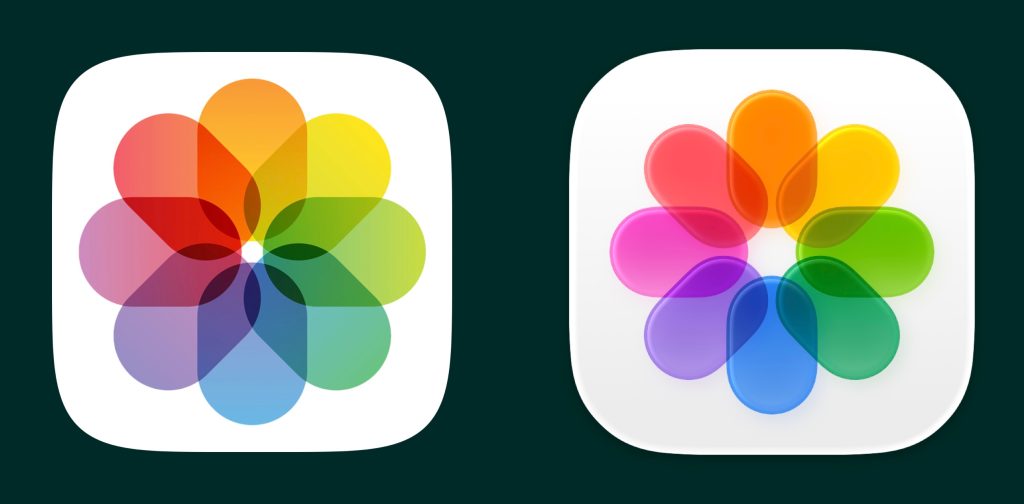
I know LaunchPad has been the bud of many jokes ever since it was introduced in OSX 10.7 Lion, but I have been an avid user for years, meticulously organizing the pages and pages of apps. LaunchPad is gone in macOS Tahoe, which releases today. Clearly, Apple was trying to make the Mac more accessible to its larger, and growing (at the time) iPhone user base. Evidently, it never quite caught on. I found it to just be easy to use. Sometimes I use my Mac one-handed with a trackpad in my lap, and I could four finger pinch to access any app I want to launch.  In the end, I had two pages: my most-used applications for personal use, and those for more professional use. 

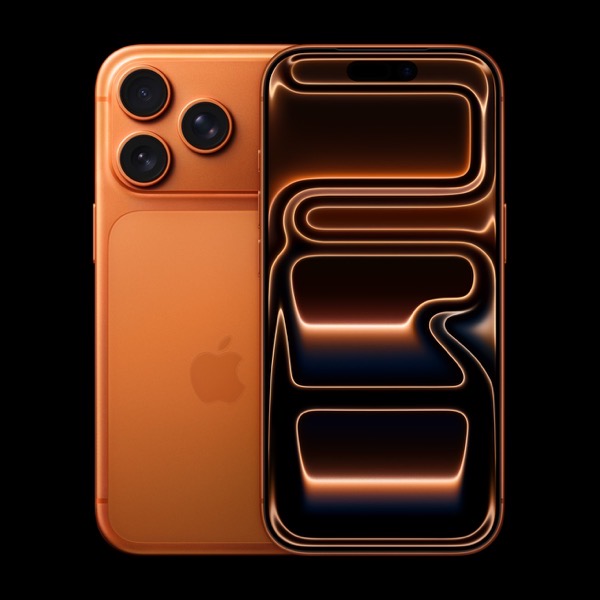
2025 iPhone Predictions

There are lots of rumors swirling around Apples iPhone announcement this coming Tuesday. I want to note a few observations, and connect some dots.

1) The iPhone 6 Plus was embroiled in a “bendgate” scandal whereby people were able to bend the phone.

2) The first iPhone Pro sported a stainless steel chassis, as opposed to the aluminum chassis the primary iPhone line had used since the iPhone 4. Apple really highlighted this as a “Pro” feature, highlighting it as “surgical grade”.

3) In 2021, reports started surfacing that Apple was exploring incorporating titanium into iPhone, and that Apple was working on a folding iPhone.

4) Two years ago, the iPhone 15 pro shifted to a titanium chassis. Again, Apple promoted this as a premium feature to differentiate this from the primary iPhone line. The stainless steel was *heavy* and the change to titanium was advertised as improving the weight of the phone.

5) The rumored iPhone 17 Pro is rumored to be the the first iPhone Pro manufactured w/ an aluminum chassis, albeit with a glass cut-out in the back to support wireless charging.

6) This year Apple is set to release a thin iPhone, rumored to be called the iPhone 17 Air. I haven’t seen much discussion regarding what that phone will be built with, although a cursory read through macrumors suggests it will be made with a titanium chassis. 

7) Next year, Apple is rumored to release a folding iPhone.

It seems to me that somewhere along the way, Apple determined that the folding iPhone needed a material that could balance the need to be light, as well as strong enough to avoid the embarrassment of the iPhone 6’s bendgate. They landed on titanium. Over the last several generation of iPhone Pro, they effectively have de-risked the production of the folding iPhone by having their vendors work with the material, and now are further advancing their manufacturing by slimming the device. I think laying this all out really highlights the years-long roadmap Apple executed, which has lead us to the imminent debut of the iPhone Air, but really points to the climax of this roadmap: a folding iPhone.

My favorite Mac utilities

My menu bar. From left to right Network Preferences, Time Machine, Sound Preferences, FruitJuice, Date & Time Preferences, User & Group Preferences, Spotlight, Bartender 3, Notification Center
My Bartender menu bar. From left to right, Greenshot, TripMode, BetterSnapTool, ChatMate For Facebook, GIF Keyboard, Amphetamine, Screens Connect, Night Owl, Tweetbot, Turbo Boost Switcher Pro, Bluetooth Preferences, 1Password, Airmail, Keyboard Preferences, Backblaze, Energy Saver Preferences, Siri, Display Preferences, Bartender, Notification Center


Its been a while since I’ve written on here, and I’ve had a few friends lately ask about utilities I run on my Mac, so I thought I’d share some of my favorites. These aren’t all of them, but these are my favorites.

Bartender 3, $15
Bartender 3 is what make this list work. Bartender hides all of the utilities I run in the background, so that I don’t have to see them. ⌥+Space later, and all of the utilities running in the background are revealed.

Greenshot, $2
Greenshot is a great and easy utility for screenshots, and there is a Mac and Windows version, which is great is you a Mac at home and Windows at work, like me. I’ve got mine set up to bring up the screenshot crosshairs with F1, then send to screenshot to my clipboard. I even used it to take the screenshots used above!

Tripmode, $8
Tripmode is a utility to modulate data use when tethered to a smartphone. The Mac makes it very easy to connect to a smartphone for data when traveling, but none of the apps on your computer (like Dropbox, iCloud, Google Drive, etc.) know that you’re on a network with a data cap. Tripmode solves this by allowing the user to determine which apps can use data, and these settings can be network-specific.

BetterSnapTool, $3
BetterSnapTool emulates the Windows 7 feature of snapping windows to one side of a screen. Although the Mac now has a native split screen mode, this wasn’t always the case, and BetterSnapTool brought this useful functionality to the Mac with lots of customization. I use it to simply split my screen for a moment, but if I’ll be using a split screen for a while, I’ll typically use the native Mac feature.

Amphetamine, Free
Ever need your laptop to finish something and not go to sleep. Well, Amphetamine will keep you awake.

Turbo Boost Switcher Pro, $10
I got this one from a great episode for ATP. Basically, if I’m using my laptop in “laptop” mode, I want great battery life and I’m unlikely to be doing anything computationally expensive. If I’m sitting at my desk and plugged in, I want my laptop to be as fast as possible. Turbo Boost Switcher Pro does this by enabling and disabling Turbo Boost, which pushes your CPU past its base clock speed at the expense of battery life, based on whether your computer is plugged in or not. Better battery life when using the battery, better functionality when on power. Marco Arment has a good post on this too.

Parallels, $80
Okay, Parallels isn’t really a utility, but I think its at least worth mentioning. Parallels is a Virtual Machine software, which means you can other operating systems within Parallels on your Mac. This is another indispensable app that I need from time to time, when I need to run a Windows specific application. Parallels gets an upgrade every year, and I’ve sort of put myself on an every-other year upgrade cycle. Those seem to have big benefits in how resource intensive Parallels can be.

CleanMyMac X, $40
CleanMyMac X will, hold on for this one, clean up your Mac. Dump your RAM, clean out Caches, empty your trash, etc., all in one fell swoop.

Screens Connect, Free (iOS counterpart is $20)
Screens is a great iOS app that I use to connect back to my Mac. Screens Connect is the Mac end that lets my access my Mac from my iPhone or iPad when I’m out and about.

1Password, $5/month for five accounts
I love 1Password. 1Password is a password storage app, which keeps track of all your passwords and will generate random passwords for all your accounts, on all of your devices. Theres a version of 1Password for every operating system. They even have a feature to inform you if a website where. you have an account is hacked! This is another one that is absolutely indispensable for me.

Backblaze, $50/machine/year
Back-ups are a part of any healthy digital life. Backblaze will back up as much as you can give it for $50 a year. This is mostly for a worst case scenario. If my laptop and my local backup were to fail, all my data is also stored at Backblaze.

Time Machine, Free
This is the only 1st party utility on this list, and it’s for a good reason. Time Machine is great, simple, and reliable back up solution for the Mac. At a minimum, you can plug in a hard drive and it’ll back up everything new. At its best, you can point it to a NAS and back up wirelessly every hour.

FruitJuice, $10
FruitJuice is just a handy utility to track battery health. It’ll send little push notifications asking you to unplug your laptop from time to time, and with updates for how much battery life you have. In addition, it tracks how many cycles your battery has, and its overall health.